Trim, stitch, and add graphics without opening a separate app. Quick Edit is part of the Qbrick video platform, so there’s nothing extra to manage and nothing new to learn.
Part of your Qbrick platform. Nothing to buy, nothing to manage on the side.
Trim & stitch clips
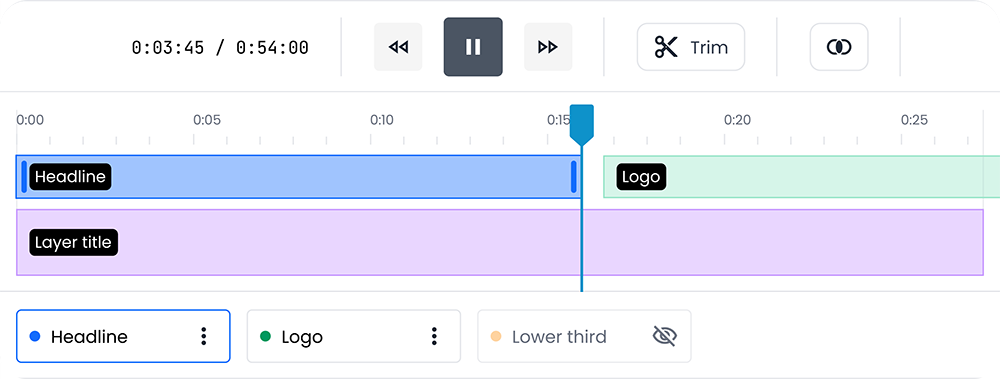
Multiple keep-ranges, drag the handles, split at the playhead, reorder clips.
Add graphics in seconds
Text, images, shapes. One button when you need it, invisible when you don’t.
Fits your brand
Light or dark, your fonts, your colors. Built to embed anywhere.
Nothing to install
Runs in the browser. No app, no plugin, no download.
Your changes. Protected.
Undo and redo, autosave drafts, restore right where you left off.
WHY QUICK EDIT
A video editor that stays out of your way.
Most video editors are built for editors. Quick Edit is built for everyone else: the marketer trimming a clip for LinkedIn, the comms lead adding a caption to a town hall recording, the customer success team cutting a walkthrough down to size. You don’t need a creative suite to do any of that.
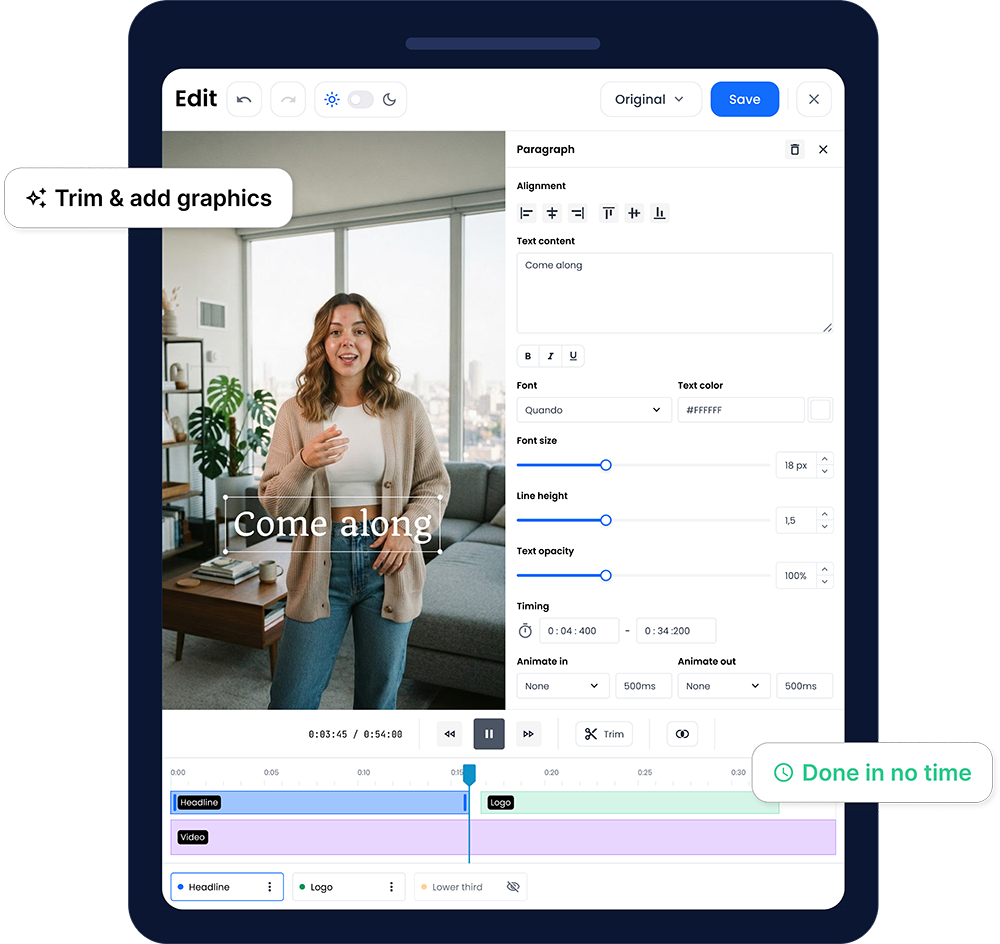
Everything starts simple. Trim in and out points, and you’re done. Want more? A single plus button opens up text, images, and shapes when you’re ready for them. Nothing is hidden behind a menu you have to learn first.
TRIM AND STITCH
Cut exactly what you need, keep exactly what you want.
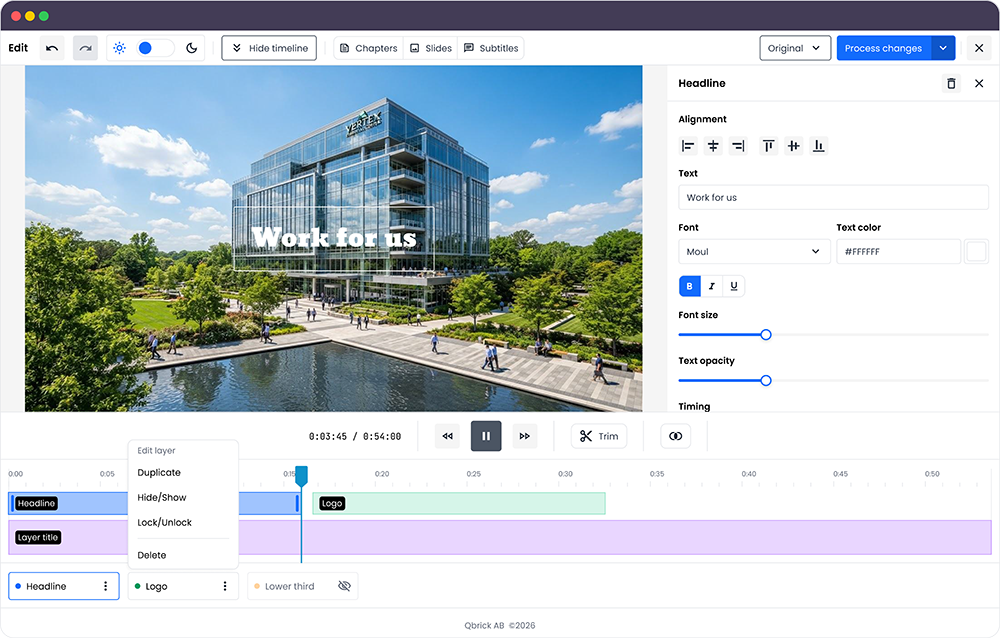
Set multiple keep-ranges with draggable handles, split a range right at the playhead, or clear everything and start again. Stitch several clips into one, in whatever order you drag them into. Chapters, slides, and caption timings update automatically to match your edit, so nothing falls out of sync on export.
GRAPHICS AND TEXT
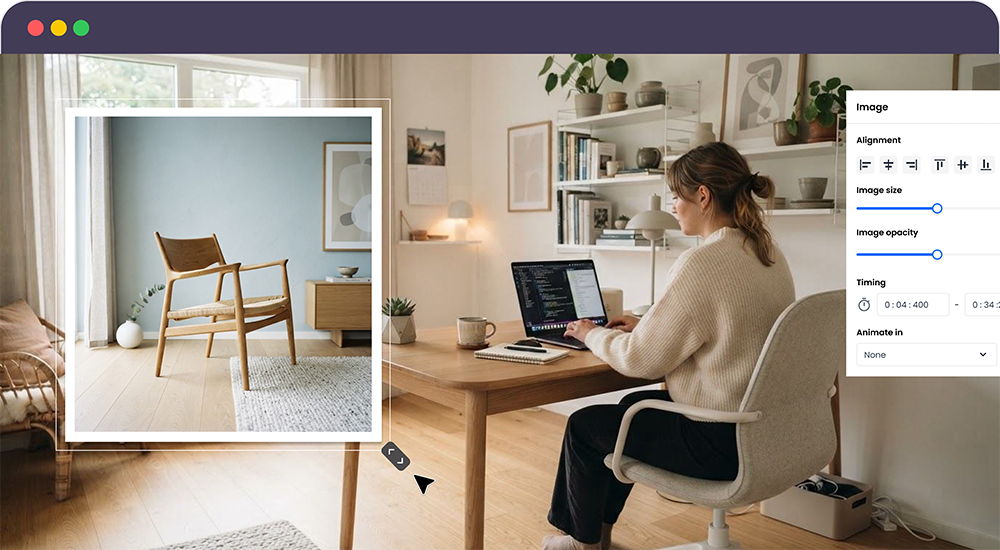
Text, images, and video, exactly where you drag them.
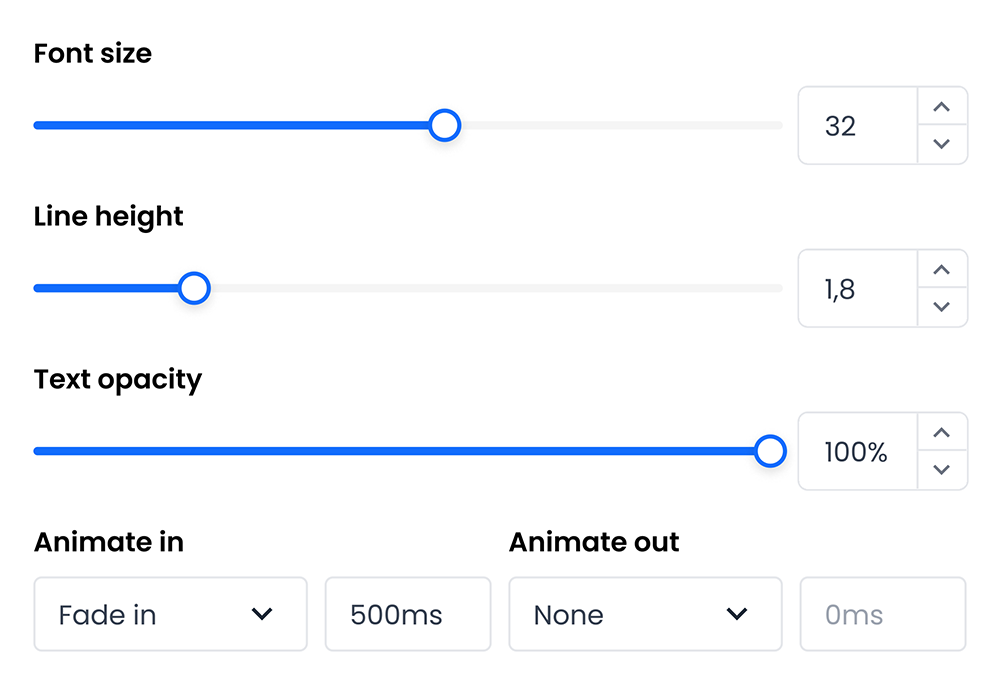
Add a headline, a logo, or a small video clip, then move, resize, and align it directly on the video preview instead of digging through menus. Fine-tune color, font, opacity, and timing in the side panel when you need to go further.
PRECISE AND EASY
Adjust by eye, not by number.
Size and opacity are set with sliders, not number fields. Drag until it looks right in the preview, since there’s no universal number that works for every video the way it does in a slide deck or a document.
BUILT TO EMBED
Not just in Qbrick. In your product too.
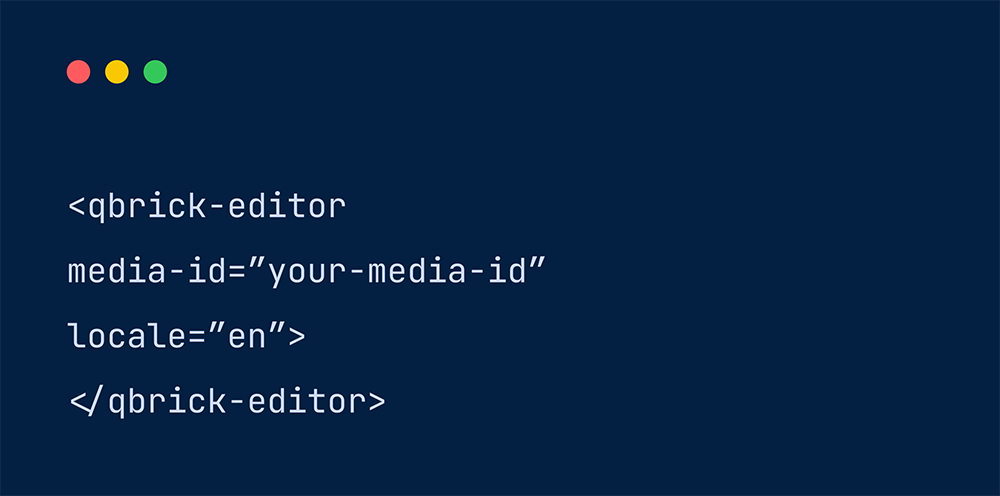
Quick Edit runs inside the Qbrick platform today, and it embeds into your own product as well, as a web component or through a JS API. Drop it into your own workflow without building a video editor from scratch.
HOW IT WORKS
From upload to publish, without leaving your library.
1
Open a video
Pick one from your Qbrick library, drop in a URL, or upload a local file.
2
Trim & stitch
Set your keep-ranges and arrange clips in order.
3
Add graphics
Drop in text, images, or a video overlay, then position it live on the preview.
4
Animate & format
Apply an entrance or exit animation, pick your output shape.
5
Save or process
Metadata-only changes save instantly. Anything else processes in the background.
FORMAT
One edit, every placement.
Switch between original, vertical, square, portrait, and landscape, with a live preview of fit, crop, or blurred-backdrop framing for each.
Original
9:16
1:1
4:5
16:9
WHAT'S INCLUDED
Everything you need for a quick edit. Nothing you don't.
Trim, split, and stitch multiple clips
Text, image, and video overlays with 7 text presets
17 animations across in, out, and loop
5 output formats with 3 fit modes
Chapters and slides that stay in sync with your edit
Undo/redo, autosave, and draft restore
Light and dark theme, host-settable
Embeds as a web component or via JS API
BUILT DIFFERENT
Simple by design.
We didn’t strip features out of a bigger editor. We built the smaller tool on purpose.
A FULL CREATIVE SUITE
Separate login and license to manage
Every creative tool at once, whether you need it or not
Built for professional video editors
A new app to support
QUICK EDIT
Already part of your Qbrick account
Trim, overlays, and formatting, with nothing to configure first
Built for anyone with a video to publish
One less support ticket for your team
GDPR COMPLIANT
PRIVATE & SECURE
CERTIFIED ECO FRIENDLY
FAQ
Frequently asked questions
About Quick Edit.
Do I need a separate license or account?
No. Quick Edit is a natural part of the Qbrick video platform. If you can log in to Qbrick, you can use it.
What can I edit?
Any video already in your Qbrick library, or a plain video URL, or a file from your computer. You can trim, stitch clips together, add text, images, and video overlays, and export in five output formats.
Do changes always re-encode my video?
No. Metadata-only changes, like chapter or slide timing, save straight to the platform with no processing wait. Anything that changes the picture itself, like a trim or an overlay, processes in the background.
Can I overwrite my original video, or save a new one?
Both. Choose to overwrite the media you started with, or save your edit as a new media item and keep the original untouched.
Can I use Quick Edit outside the Qbrick platform?
Yes. It’s built to embed as a web component or through a JS API, so it can run inside your own product, not only inside Qbrick.
BOOK A DEMO
See how quick a quick edit really is.
Get a live walkthrough of the editor, and we’ll show you how it fits into the rest of your Qbrick workflow.